May 13, 2026
GPU Rental for AI Agents: What Infrastructure Do Autonomous Workloads Actually Need?
AI agents are starting to move beyond demos. The first wave of AI applications was mostly about prompting a model and getting a response. The next wave is different. Agents are expected to work across tools, run multi-step tasks, process files, call APIs, monitor events, generate outputs, and sometimes operate continuously in the background.
That changes the infrastructure problem. For builders, the question is no longer only: “Which model should I use?” It is also: “Where can I run this workload reliably, affordably, and without overcommitting to expensive infrastructure?”
That is why GPU rental is becoming a practical requirement for AI teams. AI agents need compute that can start quickly, scale when needed, and stop when the job is done. They need access to GPU compute without long procurement cycles, fixed cloud commitments, or hardware ownership.
Nosana supports this shift by giving builders on-demand access to GPU compute for AI and high-performance workloads. Teams can deploy GPU-backed workloads through ready-made templates or custom containers, then scale based on what their application actually needs.
AI agents create a different kind of compute demand
AI agents are not just chatbots with a new label. A basic chatbot usually responds to a single prompt. An agent often breaks a task into multiple steps. It may plan, search, reason, call tools, check the result, revise the output, and continue until the task is complete.
One user request can trigger several model calls, multiple inference steps, and different types of compute usage. That creates a more variable infrastructure pattern. Some agent workloads are short and bursty. Others need to stay available for long-running tasks. Some require low-latency inference. Others run in the background. Some use lightweight models, while others need larger open-source LLMs, image models, speech models, notebooks, or custom pipelines.
This makes flexible GPU compute especially relevant. Instead of buying hardware upfront or committing to a fixed instance, builders can access GPU resources when the workload needs them.
For AI agents, the most important infrastructure qualities are not only raw GPU power. They are availability, deployment speed, cost control, observability, and the ability to match the GPU to the workload.
Why GPU rental matters for autonomous workloads
Autonomous workloads are unpredictable. A user-facing AI agent may be quiet for hours, then suddenly receive a spike in requests. A research agent may process a large batch of documents once a day. A coding agent may need GPU compute while generating, testing, and revising code, then sit idle once the task is complete. An image generation workflow may only need powerful GPUs when jobs are queued. A transcription workflow may need GPU acceleration only when new audio or video files arrive.
This makes capacity planning difficult. Owning hardware can leave teams with expensive idle GPUs. Traditional cloud can provide flexibility, but GPU pricing, operational complexity, and infrastructure management can become painful, especially for smaller teams and fast-moving builders.
GPU rental gives teams a practical middle ground. It allows them to test workloads, compare models, deploy containers, monitor execution, and scale usage based on real demand.
For AI builders, the better question is not simply “Where can I get a GPU?” It is “Can I access the right compute when my workload needs it, without paying for infrastructure when it does not?”
What AI agents actually need from GPU compute
A good GPU cloud for AI agents should not only answer the question “Do you have GPUs?”. It should answer a more useful question: “Can I run my workload easily, understand what happened, control my cost, and scale when needed?”
For autonomous AI workloads, the main infrastructure requirements are clear. First, agents need fast access to compute. They are often built through rapid experimentation. If a developer has to wait days for capacity or spend hours configuring infrastructure before every test, the product cycle slows down.
Second, they need workload flexibility. One workload may need an LLM runner for inference. Another may need image generation. Another may need speech recognition. Another may need a GPU-backed notebook for experimentation. Another may require a custom containerized workflow.
Third, they need cost visibility. AI agents can generate repeated inference calls, retries, and background tasks. Small inefficiencies multiply quickly, especially when a product moves from prototype to production.
Fourth, they need observability. Autonomous workloads can fail in ways that are not obvious. A model may run out of memory. A container may crash. A tool call may time out. An API may return unexpected data. Logs and deployment status are part of the development loop, not a nice-to-have.
Finally, they need deployment simplicity. Agent builders should be able to move from idea to running workload without becoming full-time infrastructure engineers.
GPU rental vs traditional cloud GPU providers
The GPU cloud market is growing because AI workloads are growing. Traditional hyperscalers remain powerful. They offer mature infrastructure, enterprise support, broad services, and deep integrations. For large companies with established cloud teams, they will continue to be part of the AI infrastructure stack.
But not every AI workload needs the full hyperscaler model. Many builders need something more direct: rent GPU compute, deploy a workload, test the result, and scale if it works.
That is why GPU rental is such a useful category. It speaks to the actual intent of many AI builders. They are not always looking for a complete enterprise cloud migration. They are looking for practical compute access.
A traditional cloud decision often centers around enterprise architecture, procurement, security policies, managed services, and long-term infrastructure planning. A GPU rental decision usually centers around availability, GPU pricing, GPU type, deployment speed, model compatibility, and whether the workload can run without unnecessary friction.
AI agents sit closer to the second category. Most agent builders want to test fast, keep costs under control, and avoid paying for idle infrastructure.
GPU pricing is becoming a product decision
For AI products, infrastructure cost is not just a backend concern. It shapes what the product can become.
If inference is too expensive, the product may need strict usage limits. If GPUs are hard to access, the team may avoid testing larger models or more advanced workflows. If deployments are slow, experimentation becomes slower. If compute costs rise unpredictably, margins become harder to manage.
This is why GPU pricing matters so much for agent workloads.
A single agent task can involve multiple model calls. A customer support agent might classify the request, retrieve relevant documents, generate an answer, check confidence, and summarize the interaction. A research agent might search, extract, compare, rewrite, and verify. A coding agent might reason through a task, generate files, test output, and revise.
Every step can add compute cost.
That does not mean every agent needs the most expensive GPU. In many cases, the goal is not to find the biggest GPU. It is to find the right GPU for the workload.
AI builders need to compare GPU rental pricing in the context of their actual application. Model size, memory requirements, latency needs, runtime, scaling behavior, and deployment overhead all matter.
For agent workloads, cost efficiency often comes from matching infrastructure to the job.
Inference is where AI agent costs compound
Training gets attention, but inference is where many AI products live or die.
Every time an AI application responds to a user, summarizes a file, generates an image, classifies data, translates text, transcribes audio, or performs a reasoning step, inference is happening.
For AI agents, inference often happens multiple times inside one workflow.
An agent may run a planning step, use a tool, evaluate the result, and generate another response. More advanced systems may use several specialized models inside the same workflow. One agentic application may use an LLM for reasoning, a speech model for transcription, an image model for generation, and a custom container for application-specific logic.
That creates repeated GPU demand. For teams building AI agents, AI inference infrastructure needs to be fast enough for the user experience and affordable enough for repeated use. It also needs to be flexible enough to support experimentation, because most teams do not know the perfect model or architecture on day one.
Open-source LLMs make GPU rental more important
Open-source LLMs changed the way teams build AI products.
Instead of relying only on closed APIs, builders can experiment with models they can inspect, adapt, and deploy in their own environments. That creates more control, but it also creates a new infrastructure requirement: teams need somewhere to run the models.
This is where GPU rental becomes valuable.
A team can test an open-source LLM without buying hardware. It can compare models, measure latency, check memory requirements, and decide whether the workload is worth scaling. If the model works, the team can move toward production. If it does not, the team can switch without being locked into expensive infrastructure.
This is especially useful for agents because the best model may depend on the task. A general reasoning agent, a document processing agent, a coding agent, and an image generation agent may all have different compute needs.
The future of AI agents will not be one model running everywhere. It will be many models, many workflows, and many infrastructure patterns. GPU rental gives builders room to experiment before committing.
What Nosana supports
Nosana provides GPU compute for AI and high-performance workloads, including the types of workloads that often power AI agents: inference, generation, transcription, notebooks, parallel jobs, and custom containerized pipelines.
Builders can use ready-made templates or bring their own containers, depending on how much control they need.
Nosana’s documentation includes examples for workloads such as:
- Ollama for running LLMs
- TinyLlama for lightweight LLM inference
- vLLM for OpenAI-compatible serving
- LMDeploy for efficient language model inference
- Open WebUI for interacting with LLM runners through a web interface
- Stable Diffusion WebUI for image generation
- Whisper for speech recognition and transcription
- Jupyter Notebooks with GPU support
- Multi Job workflows for running multiple jobs
This matters because many AI agents are not one-model systems. A single product may combine reasoning, retrieval, transcription, generation, and task execution. Each step may have different compute requirements.
A flexible GPU rental platform should support that variety instead of forcing every workload into one fixed deployment pattern.
For builders, the value is not only access to GPUs. It is the ability to test different workloads, deploy faster, monitor execution, and scale GPU usage based on real demand.
Estimate your GPU spend before you deploy
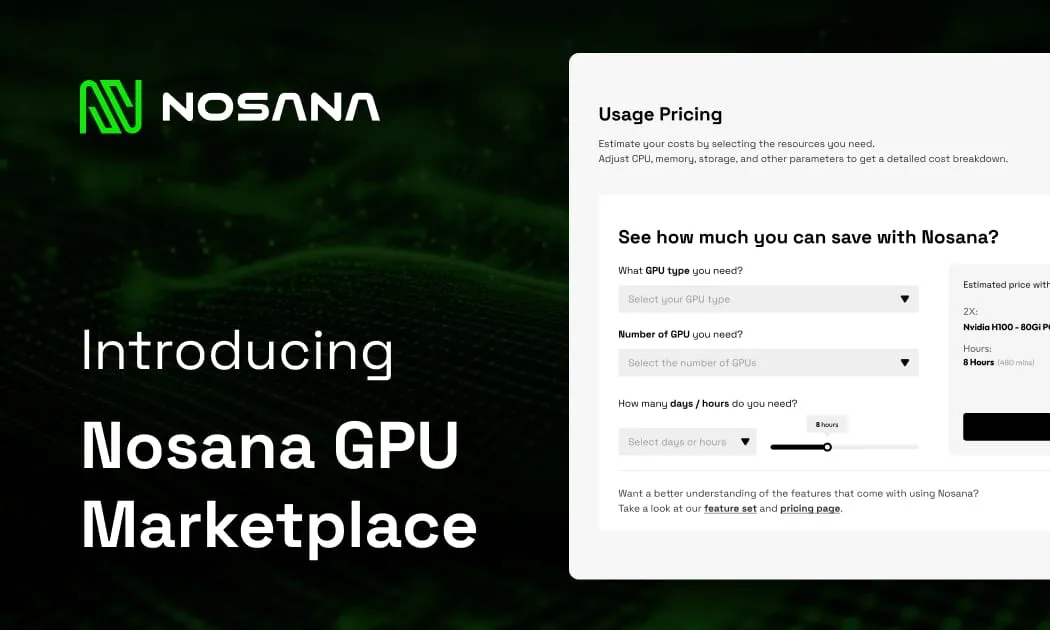
Before choosing a GPU rental setup, it helps to understand what your workload may actually cost. Nosana includes a GPU spend calculator that lets you estimate compute costs based on the GPU type, number of GPUs, and runtime you need.
Use it to compare options before deploying your workload, whether you are testing an open-source LLM, running inference, generating images, transcribing audio, or building a GPU-backed AI agent.
Estimate your GPU spend on Nosana.
What to look for when choosing GPU rental for AI workloads
When choosing GPU rental for AI workloads, builders should evaluate the platform around the workload, not around generic cloud claims.
The first question is whether the GPU has enough memory for the model. VRAM matters because larger models and longer contexts require more memory. A workload that fits comfortably on one GPU may fail or slow down on another.
The second question is whether the workload needs low latency or reliable completion. A user-facing voice or chat agent may need fast response times. A background research agent may tolerate longer runtime if the cost is lower.
The third question is how often the workload runs. Always-on workloads have different economics than bursty jobs. If an agent runs only when triggered, flexible rental can be more attractive than fixed capacity.
The fourth question is how easy it is to deploy. If a team spends too much time configuring infrastructure, it loses the speed advantage that AI development requires.
The fifth question is whether the platform gives enough visibility. Logs, job status, deployment history, and error messages can make the difference between a product that ships and a product that stays stuck in testing.
The sixth question is whether the pricing model fits the business model. A tool used by thousands of users has different cost requirements than an internal automation script.
The wrong choice is not always the most expensive provider. Sometimes it is the setup that adds too much friction too early.
GPU cloud, AI infrastructure, and the next phase of AI
The first phase of AI adoption was about access to models. The next phase is about running useful workloads.
That shift makes AI infrastructure more important. AI agents need compute that is available, flexible, and economically sustainable. They need GPU rental options that let teams experiment without heavy upfront cost. They need deployment paths that support both quick testing and production workflows.
As more AI products move from demos to real usage, GPU demand will become more distributed. It will not only come from frontier labs training massive models. It will also come from builders running inference, generation, automation, transcription, experimentation, and agent workloads every day.
This is why GPU rental is becoming a core part of the AI infrastructure stack.
The builders who win will not simply choose the biggest model or the most expensive GPU. They will choose infrastructure that lets them move quickly, control costs, and run workloads reliably.
For AI agents, the future belongs to compute that is flexible enough to match how agents actually work.
Start running AI workloads on Nosana
AI agents need more than ideas. They need infrastructure that can run.
Nosana gives builders access to on-demand GPU compute for AI and high-performance workloads, with support for templates, custom containers, and real-time workload monitoring.
Whether you are testing an open-source LLM, running inference, generating images, transcribing audio, working in GPU-backed notebooks, building an AI agent, or comparing cloud GPU providers, Nosana offers a flexible way to rent GPU compute and deploy workloads without relying only on traditional cloud infrastructure.
Start running GPU workloads on Nosana.
Useful Links
Stay Updated with Nosana
Get the latest insights on AI infrastructure, GPU launches, and network innovations — all in one place