May 6, 2026
Cloud GPU Providers Compared: Which GPU Cloud Should You Choose for AI Workloads?
Finding GPU compute used to be simple. You either bought your own hardware or rented it from one of the major cloud GPU providers.
That worked well when AI infrastructure was mostly used by large companies with big budgets, long planning cycles, and dedicated infrastructure teams. But AI teams today move differently. A small startup might need GPUs to test an open-source LLM this week, run AI inference tomorrow, and spin down the workload once the experiment is done.
That shift has changed what teams expect from GPU cloud infrastructure.
They do not just want access to powerful GPUs. They want flexible GPU rental, clear GPU pricing, fast deployment, and the ability to run AI workloads without getting trapped in a complex cloud setup.
So the real question is no longer just “Which GPU is the most powerful?”
It is:
Which type of GPU cloud provider fits the way your team actually builds?
Quick answer
Traditional cloud GPU providers are often the right choice for large enterprises that already use AWS, Google Cloud, or Azure and need deep integrations, procurement workflows, managed services, and enterprise support.
Distributed GPU networks are a better fit for teams that want flexible GPU compute, lower-cost access, faster experimentation, and on-demand GPU rental for AI inference, AI agents, open-source models, rendering, simulations, and other high-performance workloads.
For many AI startups and builders, the best choice depends on three things: workload type, budget, and how quickly they need to deploy.
Why GPU cloud demand is changing
AI workloads are no longer limited to research labs.
Teams are building AI agents, inference APIs, image generation tools, workflow automation products, model evaluation pipelines, and domain-specific AI applications. Some workloads need long-running infrastructure. Others only need powerful GPUs for a short burst.
That is why the GPU cloud market has become more fragmented. The same team may need one setup for AI training, another for AI inference, and another for quick testing.
Traditional cloud platforms were built to serve a wide range of compute needs. They offer powerful infrastructure, but they can also come with more setup, more configuration, and pricing structures that are not always easy to understand at first glance.
GPU rental platforms and distributed GPU networks take a different approach. They focus more directly on giving users access to available GPUs on demand.
Nosana, for example, describes itself as an open-source GPU cloud for AI and high-performance workloads, with on-demand access, flexible pricing, and GPU compute for use cases like training, fine-tuning, inference, rendering, and simulation.
What distributed GPU networks do differently
Distributed GPU networks start from a different idea: instead of relying only on centralized data centers, they make GPU capacity available through a broader network.
For AI teams, the practical benefit is flexibility. You can rent GPU compute when you need it, run a workload, and scale down when you are done.
Nosana describes this model as on-demand distributed GPU compute, allowing teams to run jobs on available GPUs across the globe and pay only for what they run. It also positions cost efficiency as a key benefit, with savings of up to 6× depending on workload.
This is especially useful for teams that do not want to buy GPUs, wait for cloud quota approvals, or overcommit to infrastructure before they know what their product needs.
It also fits the way many AI startups work. Early-stage teams often need to test models, compare performance, run inference jobs, experiment with open-source LLMs, or support temporary spikes in usage.
For those teams, GPU rental is less about owning infrastructure and more about getting fast access to the right compute at the right moment.
The pricing question: where things get complicated
GPU pricing is one of the hardest parts to compare because each provider structures it differently.
Some cloud GPU providers price by instance family. Some GPU rental platforms list individual GPUs by hourly rate. Some workloads are billed per second. Some prices change based on availability, region, machine type, or whether you use reserved, spot, community, secure, or serverless infrastructure.
That is why it is dangerous to say one provider is always cheaper than another.
A better question is:
What does the workload actually need, and how much unused infrastructure will you pay for along the way?
Nosana’s public GPU market shows live GPU prices and availability directly on its site. At the time checked, examples included NVIDIA 3060 at $0.048/hour, NVIDIA 3080 at $0.096/hour, and other GPU options listed by hourly price and host availability.
RunPod’s RTX 4090 page lists NVIDIA RTX 4090 GPU rental from $0.69/hour, describing it as a 24GB GPU for AI workloads, machine learning, and image generation tasks.
For AWS, pricing is usually tied to instance families rather than simple single-GPU marketplace listings. As one example, Vantage lists AWS g5.xlarge, a GPU instance family option, as starting at $1.006/hour.
These examples are useful, but they should not be treated as universal pricing. The actual cost depends on the provider, GPU, region, workload duration, data movement, storage, and whether the workload needs to stay online continuously.
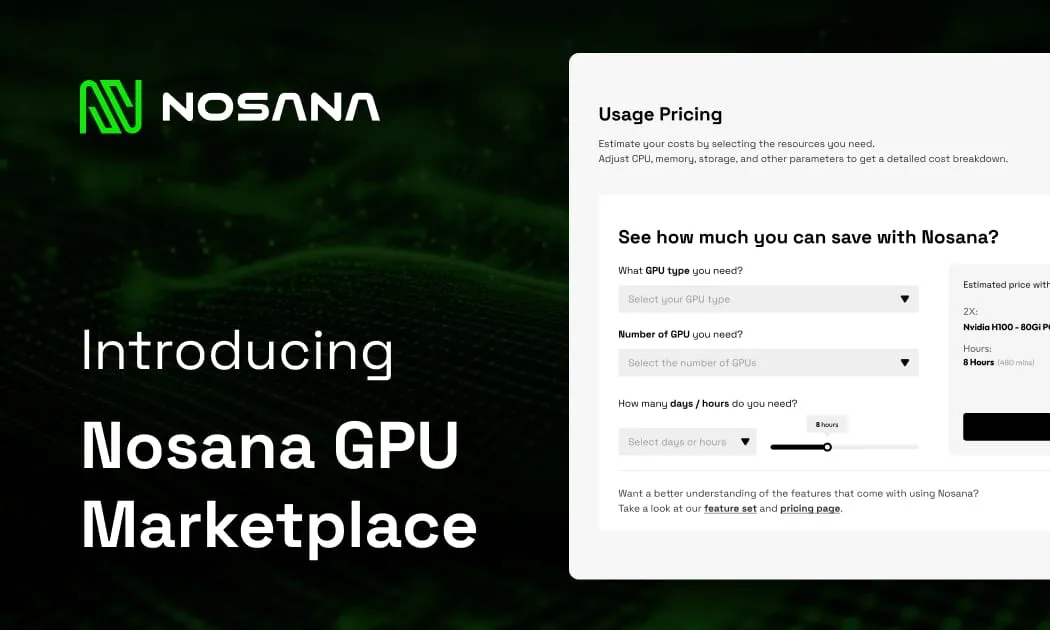
For AI teams comparing GPU rental pricing, the best approach is to calculate the cost around the real workload, not just the advertised hourly rate. To make that easier, Nosana offers a built-in GPU spend calculator that helps teams estimate compute costs before deploying.
Try the Nosana GPU calculator to estimate your workload cost before choosing your setup.
Why Small and Medium-Sized Models Change the GPU Rental Equation
Small and medium-sized language models are becoming increasingly important as AI usage shifts toward practical, production-ready workloads.
Not every agentic workflow needs a flagship LLM. Many agents do not need the largest possible model to browse, reason, call tools, process structured data, or complete task-specific workflows. In many cases, small and medium-sized models are more than capable, especially when paired with the right tooling, context, and infrastructure.
This matters because these models are a strong fit for consumer GPUs. As inference demand grows, the market will not only need high-end GPUs for frontier-scale workloads. It will also need accessible, cost-efficient compute for the growing number of agentic applications that can run effectively on small and medium-sized models.
The bigger shift is that inference itself is expanding. Agentic inference is becoming a significant part of AI usage as more workloads move from simple single-turn generation toward multi-step, tool-using, reasoning-heavy workflows where agents need to act, not just respond.
For GPU rental, this changes the equation: teams should not only ask which provider has the biggest GPU. They should ask which compute setup fits the model size, workload type, and deployment pattern they actually need.
Traditional GPU cloud vs distributed GPU networks
Traditional cloud GPU providers are usually strongest when the team needs a full enterprise cloud environment. They are often a good fit for companies that already have cloud credits, cloud architects, procurement processes, compliance requirements, and existing infrastructure on the same provider.
Distributed GPU networks are strongest when the team wants more flexible access to GPU compute. They can be especially useful for AI startups, independent builders, research teams, and product teams that want to test workloads without committing to long-term infrastructure.
The difference is not just technical. It is operational.
A traditional cloud often asks you to think like an infrastructure team.
Distributed GPU rental is closer to how many AI teams want to work: choose compute, deploy the workload, monitor results, and move on.
Which option is better for AI inference?
AI inference is often a strong fit for flexible GPU rental because inference workloads can vary a lot.
A team may need high availability for production inference, but it may also need temporary compute for testing models, running demos, processing batches, or supporting campaign-driven spikes.
AWS G5 instances are positioned as cost-efficient infrastructure for machine learning inference and graphics-intensive applications. That makes them a credible option for teams already building inside AWS.
But for teams that want to run inference without managing a full cloud environment, distributed GPU compute can be easier to start with. Nosana specifically mentions inference as one of the workloads its GPU compute supports, alongside training, fine-tuning, rendering, and simulation.
The practical decision is simple.
If inference is part of a larger cloud architecture, a traditional provider may fit better.
If inference is something your team wants to deploy, test, and scale without heavy infrastructure work, a distributed GPU network may be the more practical route.
Which option is better for AI training?
AI training is more sensitive to workload size.
Small and moderately complex AI training jobs can often run on accessible GPU cloud options. Larger model training may require advanced networking, multi-GPU setups, large memory, orchestration, and more predictable infrastructure.
AWS says G5 instances can support training for moderately complex and single-node machine learning models, including natural language processing, computer vision, and recommender use cases.
For experimental AI model training, fine-tuning, and smaller workloads, flexible GPU rental can be attractive because the team can avoid buying hardware or committing to expensive infrastructure before proving the model or product.
Nosana’s GPU workloads page says its network can support demanding workloads in real time, including AI training, fine-tuning, inference, rendering, and simulation.
So the best choice depends on the training job.
If your team is training large foundation models from scratch, you may need specialized infrastructure and a more complex cloud setup.
If your team is fine-tuning, testing, evaluating, or running smaller model training workflows, flexible GPU compute can be a faster and more cost-efficient starting point.
When traditional cloud GPU providers make sense
Traditional cloud GPU providers are lly the safer choice when the GPU workload is part of a large, existing cloud architecture.
They make sense when your team already uses the same cloud provider, needs enterprise security workflows, depends on managed services, or wants one vendor for storage, networking, databases, compute, monitoring, and billing.
They are also useful when procurement and compliance matter more than speed or simplicity.
In other words, traditional cloud is often the right fit when infrastructure consistency is more important than flexibility.
When distributed GPU networks make sense
Distributed GPU networks make sense when the team wants to move quickly.
They are useful when you want to rent GPUs for AI workloads, test open-source models, run AI inference, experiment with AI agents, deploy prototypes, or avoid buying hardware too early.
They also work well when the team is cost-sensitive and wants to compare GPU pricing more directly.
Nosana’s model is built around this kind of flexible access. Its site describes on-demand GPU workloads, worldwide GPU access, scalable compute resources, and pay-only-for-what-you-run usage.
For many AI builders, that is the point. They do not want to become cloud infrastructure experts before testing an idea.
They want GPU compute that helps them ship.
So, which should you choose?
Choose traditional cloud GPU providers if your team needs enterprise cloud integration, managed services, mature procurement, and a broader infrastructure stack around the GPU workload.
Choose distributed GPU networks if your team wants flexible GPU rental, simpler access to compute, lower-cost experimentation, and a practical way to run AI inference, AI training, open-source models, AI agents, or other GPU-heavy workloads without buying hardware.
There is no one perfect GPU cloud provider for every use case.
The best choice is the one that matches how your team builds.
For large enterprises, that may mean staying close to the cloud stack they already use.
For AI startups, independent builders, and teams experimenting with new workloads, it may mean using a more flexible GPU cloud model that lets them deploy faster and control costs more directly.
Where Nosana fits
Nosana is built for teams that need GPU compute without the friction of traditional infrastructure.
It gives builders access to on-demand GPU rental for AI and high-performance workloads, with live GPU market pricing, flexible deployment, and a network designed for use cases like AI inference, training, fine-tuning, rendering, and simulation.
That makes Nosana especially relevant for AI teams that want to test workloads quickly, avoid overcommitting to infrastructure, and run compute when they actually need it.
If you are comparing cloud GPU providers, the best next step is not just reading another comparison.
It is testing your real workload.
Start with a small deployment, measure performance, compare the cost, and decide from there.
Useful Links
Stay Updated with Nosana
Get the latest insights on AI infrastructure, GPU launches, and network innovations — all in one place